

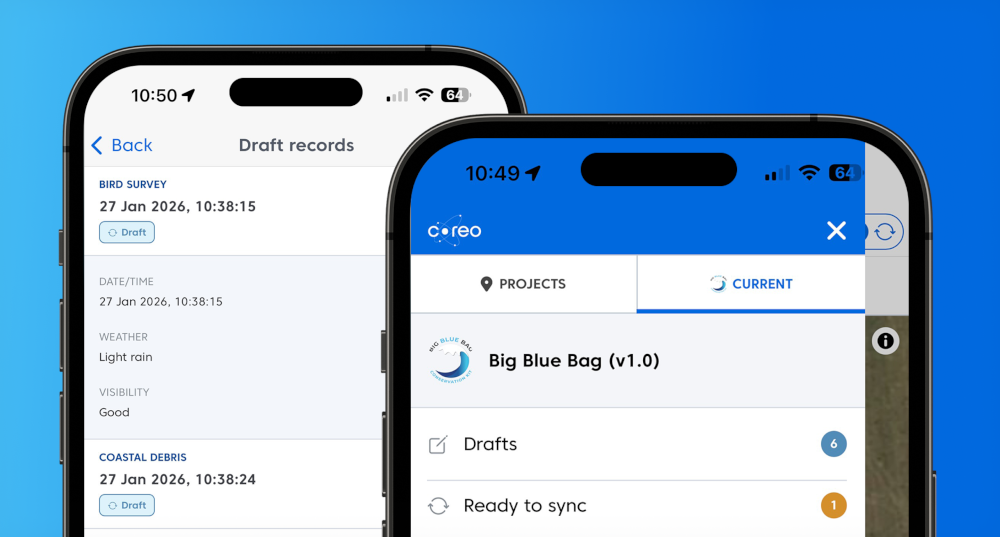
Fieldwork can be unpredictable. Whether it’s a sudden downpour or simply needing to double-check a species ID, we know that you don’t always finish a record in one go.
That’s why we are thrilled to introduce Drafts – a highly requested new feature – alongside a freshly streamlined navigation panel to make your Coreo experience smoother than ever.
Save your progress with Drafts
Gone are the days of clicking through every single page of a form just to save your work. With the new Drafts function, you have total flexibility over your data entry.
- Exit Anytime: Need to leave a record? Simply exit whenever you need to.
- Save as Incomplete: Coreo will now prompt you to save your progress as a draft, keeping your data safe until you’re ready to return.
- No More Skipping: You no longer have to “skip to the end” to ensure your work is stored.
Whether you’re interrupted in the field or just need to pause and gather more info, your progress is now protected.
A Faster Way to Navigate
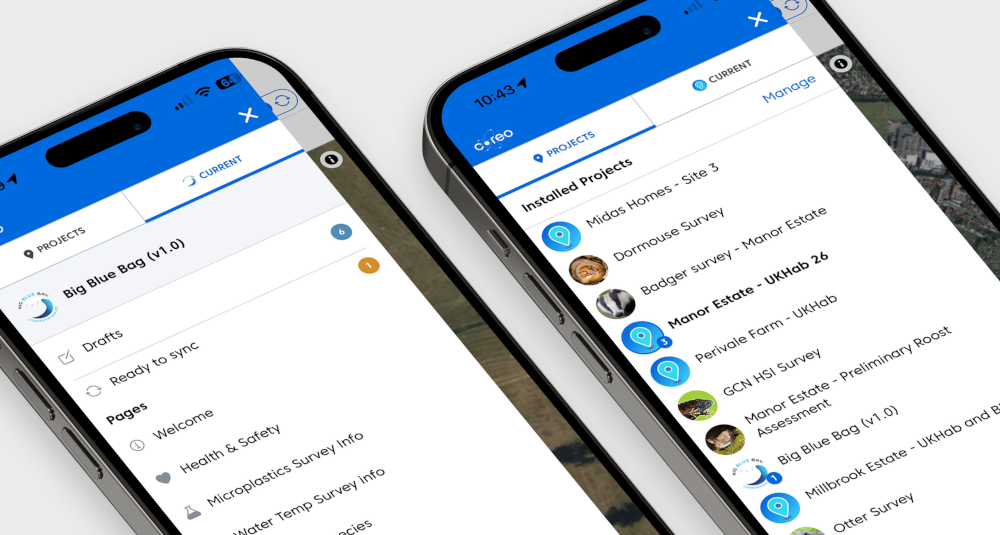
We’ve also given our interface a refresh. To help you manage your workflow more efficiently, we’ve introduced a new navigation panel designed for clarity and speed.
- See the Full Picture: The navigation panel now displays the full name of each project alongside its icon, making it easier to recognise and select the right project at a glance.
- Increased Clarity: The project list and the selected project’s details are now separated, reducing visual clutter and making navigation simpler and more intuitive.
Getting Started
These updates are designed to make Coreo work harder for you, so you can focus on the data that matters. To see these changes in action, simply log in to your account or update your app to the latest version.
Happy surveying!